
Retro Game Studio
Forge game-ready retro assets from one creative workflow.
Generate sprites, characters, spell FX, animation sheets, asset packs, and Unity-powered previews without learning the hardest parts of game-engine asset production.
- Indie studios
- Solo developers
- Game jams
- Rapid prototyping
- Pixel artists
- Hobby projects
From world idea to game-ready assets.
- 01
Story
Generate a world, factions, characters, and visual bible.
- 02
Assets
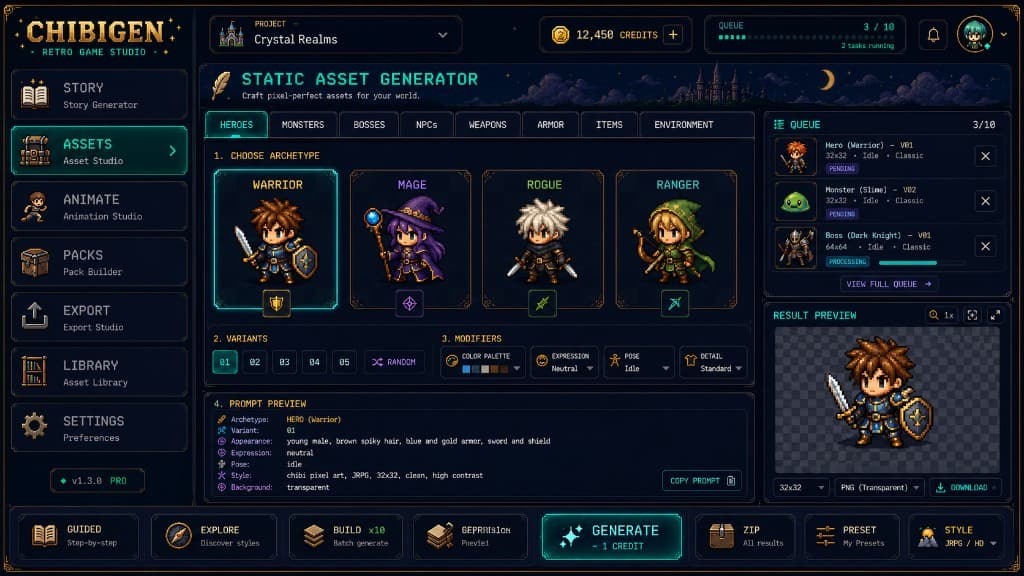
Create archetype-valid sprites, items, enemies, weapons, and props.
- 03
Animate
Build animation sheets, combat actions, and spell FX sequences.
- 04
Pack
Organize coherent asset packs with metadata and validation.
- 05
Export
Export transparent PNGs, sheets, and engine-ready bundles.
Core capabilities
AI sprite generation
Archetype-aware static assets with valid modifier combinations.
Background isolation
Transparent PNG export with production-ready alpha.
Animation Studio
Character actions, walk cycles, and combat sequences.
Spell & combat FX
Projectile, burst, and loop effects as frame sheets.
Pack Builder
Coherent packs with health checks and missing-asset detection.
Unity Preview Runtime
Preview compositions locally without Unity Editor complexity.
One studio, every step
See the whole pipeline in action.
From world-building to a validated, engine-ready pack—every stage lives in one cohesive desktop studio.
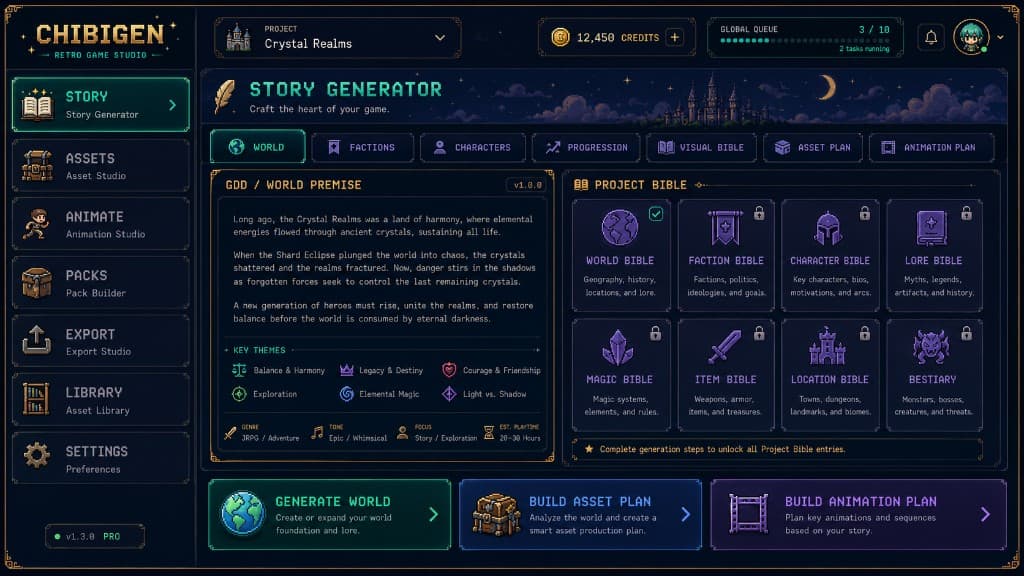
Story Generator
Spin up a world premise, factions, characters, and a visual bible that keeps your assets consistent.
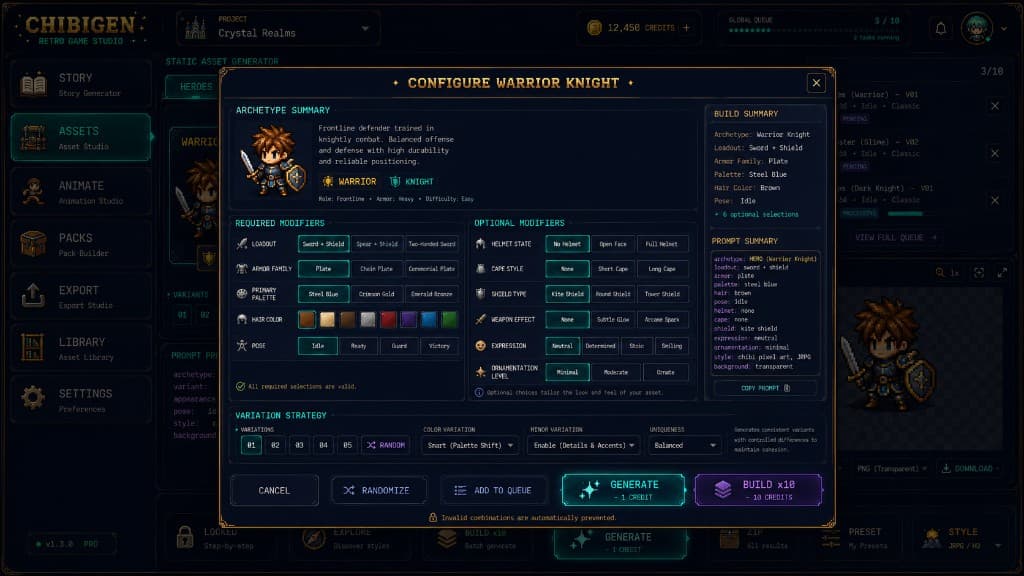
Asset Studio
Pick an archetype, lock valid modifiers, and batch-generate coherent sprites with controlled variation.
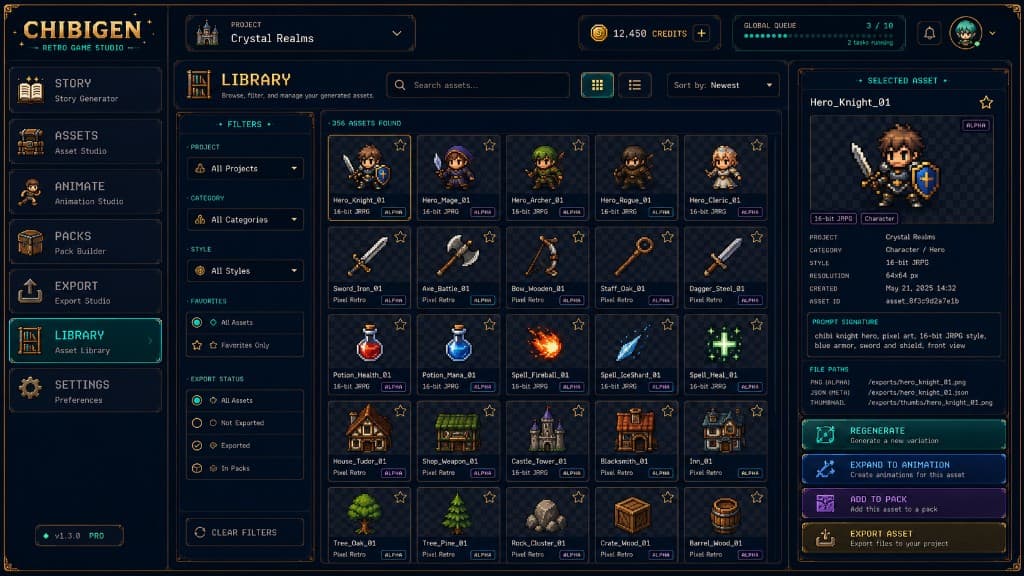
Asset Library
Browse, filter, and manage everything you generate—favorites, export status, and full prompt metadata.
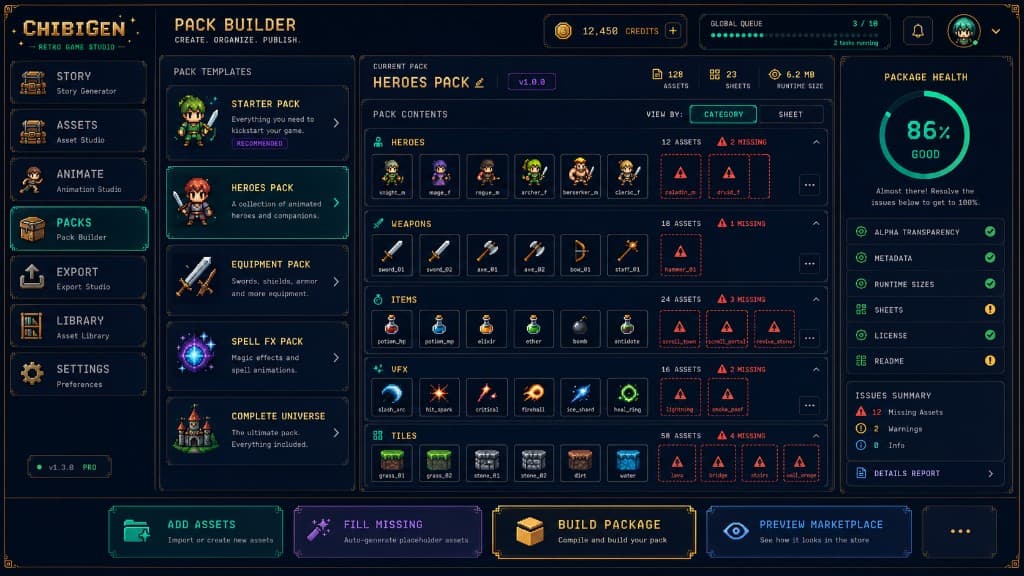
Pack Builder & Export
Compile coherent packs with health checks, then export texture atlases, metadata, and runtime sizes.
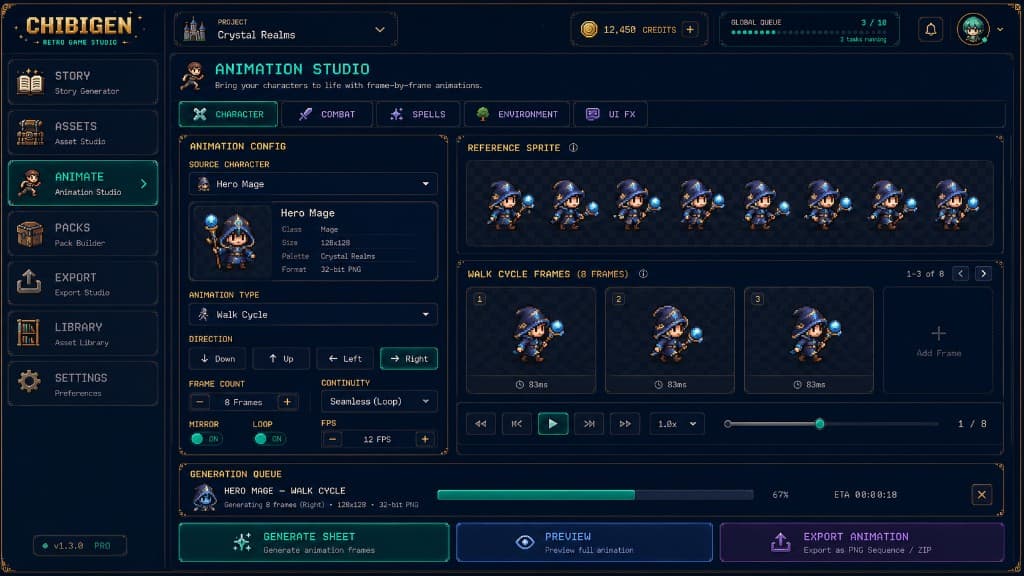
Built like a production console
ChibiGen is designed like a production console. Choose an archetype, configure valid modifiers, queue builds, preview results, animate actions, and package everything cleanly.
Unity-powered previews without Unity complexity.
ChibiGen can launch a local Unity Preview Runtime that loads generated sprites, animation sheets, and composition metadata. Preview a warrior slash, spell cast, impact burst, or looping effect without manually configuring SpriteRenderers, Animator Controllers, prefabs, anchors, or timing.
- ▸Local helper runtime
- ▸No Unity Editor required for preview
- ▸Loads PNG + JSON bundles
- ▸Plays layered character + FX compositions
- ▸Future Unity export package support
ChibiGen → Preview Bundle → Unity Preview Runtime → Animated Preview
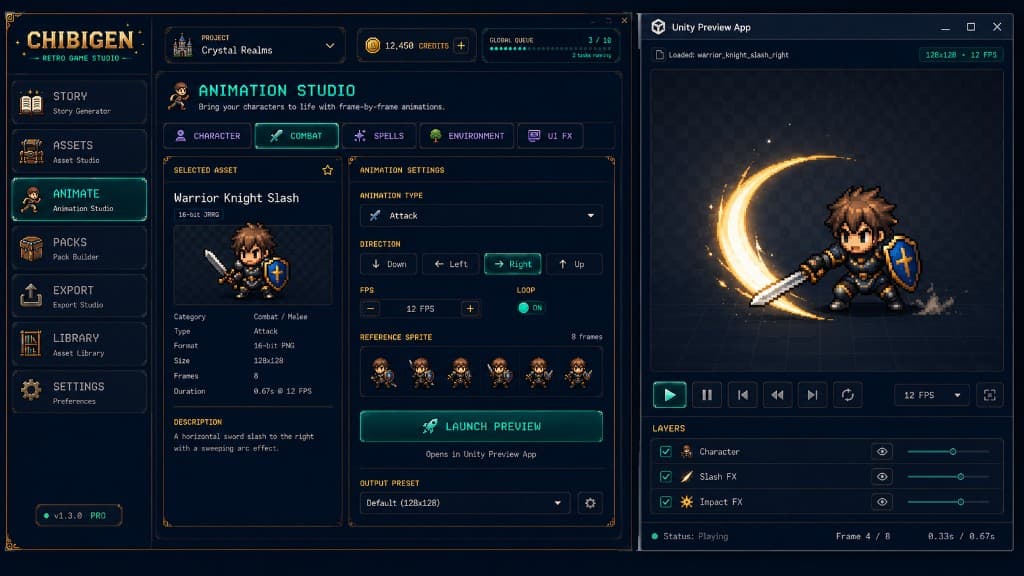
Outputs designed for actual game work.
ChibiGen is the structured production layer between AI generation and usable game assets—not a random image generator.
Not just another image generator
The structured layer between AI and your game.
Raw image models hand you a flat picture. ChibiGen hands you assets that drop straight into your project.
Built for shipping games
Your assets belong in your project
Use what you create in commercial games, game jams, trailers, and prototypes. Iterate with your team, polish in-engine, and ship—the workflow indie studios expect.
Simple annual pricing for creators.
Creator Annual
$149.99/year
≈ $12.50/mo, billed annually
- Production credits included
- Local exports free
- Commercial releases supported
- Usage rights for your projects
FAQ
Is ChibiGen just an AI image generator?+
No. ChibiGen is a structured retro game asset studio with archetype-aware generation, animation composition, pack building, and Unity-powered previews.
Can I ship a commercial game with these assets?+
Yes. ChibiGen is designed for creators publishing their own games and interactive projects. See the usage overview for how that applies to your release.
Can I use assets in trailers and prototypes?+
Yes—demos, vertical slices, and promotional material for your project are included.
Does ChibiGen support Unity?+
Yes. A local Unity Preview Runtime can play generated compositions; full Unity export packages are planned.
Do I need Unity installed?+
Not for preview—the helper runtime runs locally without the Unity Editor.
Does it export transparent PNGs?+
Yes. Game-ready transparent PNG export is a core part of the pipeline.
Does previewing consume credits?+
Local preview, export, and packaging should remain free whenever possible.
Will it support Godot or RPG Maker?+
Multi-engine export is on the roadmap; MVP focuses on PNG sheets and packs.